


Want to know how to add Bluetooth to your iPod? Here are the three different ways you can do so.
- 3.5mm Bluetooth Headphone jack adapter
- 30 pin Bluetooth adapter
- Internal Bluetooth mod:
Lets take a deeper dive into each one and assess the pros and cons of each to see which one will suit your needs the best.
- 3.5mm Bluetooth headphone jack adapter
The easiest way to add Bluetooth to your iPod is simply with a 3.5mm headphone jack adapter. These things are a battery powered adapter that will just simply plug into the headphone jack of your ipod and will be able to transmit the signal to your wireless earphones or speakers. These are great because they are super easy to install and can be quite cheap. There is also many different products available across a range of different price points so whether you want a high quality one that supports APTX, or one with a bigger battery or the cheapest one you can find you can pick whichever one suits your needs the best. You can also use these on multiple devices as well so if you have more than one iPod you want to use with it its only one thing you have to buy. A lot of them also have a switch that lets you choose between sending the Bluetooth signal or receiving it so you could also use these to transform your old speakers into Bluetooth speakers .
However there are some downsides to going with a 3.5mm Bluetooth adapter. They are usually quite big and bulky which might make the iPod less convenient to use and may come unplugged accidently. It is also a separate thing that you will need to remember to carry around with you. They also run off of their own batteries so now you will have to remember to charge three devices instead of two; Your iPod, your wireless earphones AND the 3.5mm adapter. Which could easily lead to the unfortunate situation where you are out of power and unable to listen to music.
Although there are some downsides to these they are a great place to start due to the ease of use. Here are some that we recommend:
Cheapest (affiliate link): https://s.click.aliexpress.com/e/_oBP8mu9
Supports APTX (affiliate link): https://s.click.aliexpress.com/e/_olpnQTx
2. 30 pin Bluetooth adapter
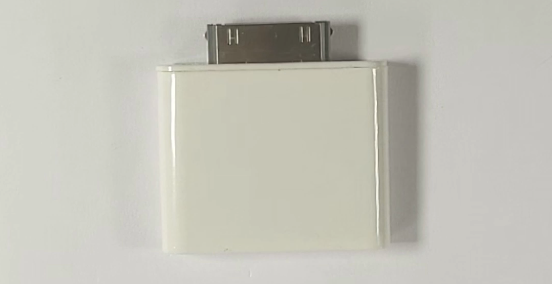
Another way you can add Bluetooth to your iPod is with the use of a 30 pin Bluetooth adapter. These are similar to the headphone jack adapters although instead of plugging into the headphone jack they plug into the 30 pin dock connector on the bottom of the iPod. This also gives it the advantage of not needing to have its own internal battery as it can now pull power from the iPod as well. However there is one major downside to these. There is no volume control and you will be stuck at max volume due to how the audio output on the dock connector was designed. This makes them only suitable to be used with Bluetooth devices that have their own built in Bluetooth controls which unfortunately isn’t many. However they are still worth mentioning. Here is a video demonstrating its use:
If you want to buy one you can get it here also (affiliate link): https://s.click.aliexpress.com/e/_EHIvvIl
3. Internal Bluetooth mod:
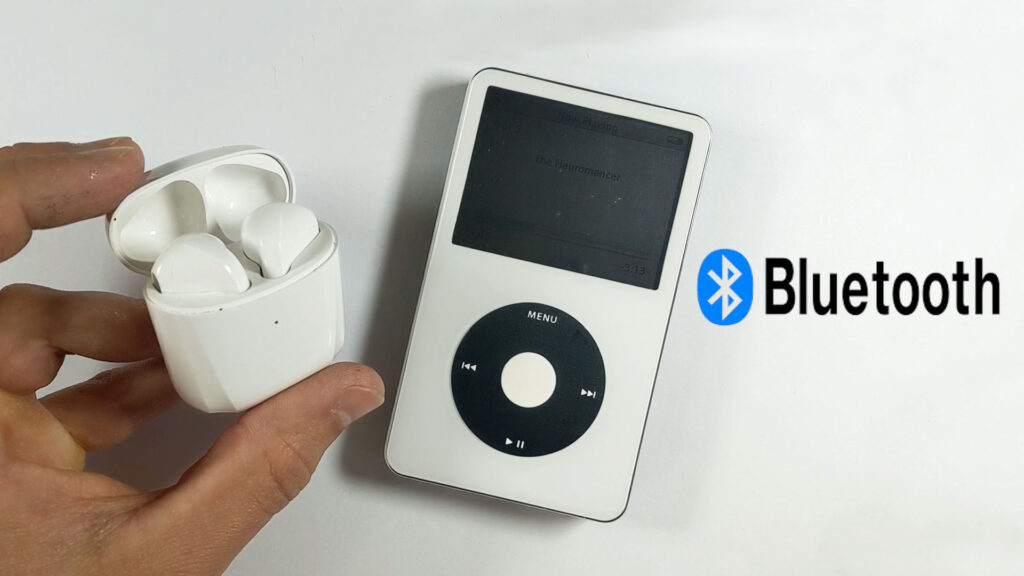
An internal Bluetooth mod is the most seamless and probably the coolest way to add Bluetooth to your iPod, although it is also the most difficult as you will have to open up the iPod and install additional components. It is also only able to be done on those iPods that have enough space inside to fit additional hardware, most notably the classics and the minis. It has been done on a couple of other models as well although in order to get it to fit on many of the smaller iPods, particularly the nanos, it would require either serious modification to the frame or a complete redesign. If you are looking to do an internal Bluetooth mod, we recommend going with an iPod classic 5th, 6th or 7th gen as it tends to work the best with these models. They have lots of space inside to fit it and can also have extended batteries added to them as well which also helps with the added power consumption of having Bluetooth.
When it comes to an internal Bluetooth mod you have a couple of options. You could either:
- Get someone else to do it (easy)
- Buy a pre made kit (intermediate)
- Go full DIY and solder in the Bluetooth board yourself (hardest)
What option is the best for you will depend on your skill level when it comes to working on small electronics. Although ipods are much easier to work on than the phones of today, there is still a risk of something going wrong when opening it up and if you are not confident you may prefer to get a professional to do the mod for you. If you are interested we offer a mail in Bluetooth upgrade service where you can send your iPod classic in from anywhere in the world to have Bluetooth installed. You can check that out here: https://partspluspods.com.au/mail-in-ipod-repairs/ . At the moment we are only offering this for the iPod classic 5th 6th and 7th gen although may have more options available in the future too.
If your keen on giving it a go yourself there are a couple of Bluetooth upgrade kits available on the market. To install these all you will have to do is pop off the back panel and pop the new one on. There is a bit more to it than that although not really. They are quite straightforward to install and can be done by most people with a bit of diy tech experience and a can do attitude! Here is a link to the kit we sell: https://partspluspods.com.au/product/bluetooth-upgrade-kit-for-apple-ipod-classic-5th-gen/
It includes a brand new rear housing in any of the custom aftermarket colours, a 3000mah battery, which is a little over 4x bigger than the original and a Bluetooth module hooked up to the headphone jack.
To pair your headphones all you got to do is:
1. Use the lock switch to turn on power to the Bluetooth module
2. put your earphones in pair mode
3. click the pair button by pushing in the lock switch. (an additional button has been added behind the lock switch and can be activated by pressing it in)
The lock switch on this kit has been converted to a power switch for the Bluetooth module which does mean you will lose lock switch functionality.
These upgrade kits are a great option for those who want to add Bluetooth to their iPod and aren’t afraid of having a go themselves.
However if you are experienced with soldering and are keen to give the mod a go yourself, we do have two full length tutorials explaining all the steps in depth. We will also do a written guide in the future if you would prefer that as well.
It is technically possible to install a bluetooth circuit board on any device with a 3.5mm headphone jack. We have done it on a bunch of other ipod models in the past as well including a mini, nano 3, shuffle 1st gen and even a nintendo DSI. You can check those videos out on our youtube channel as well.